
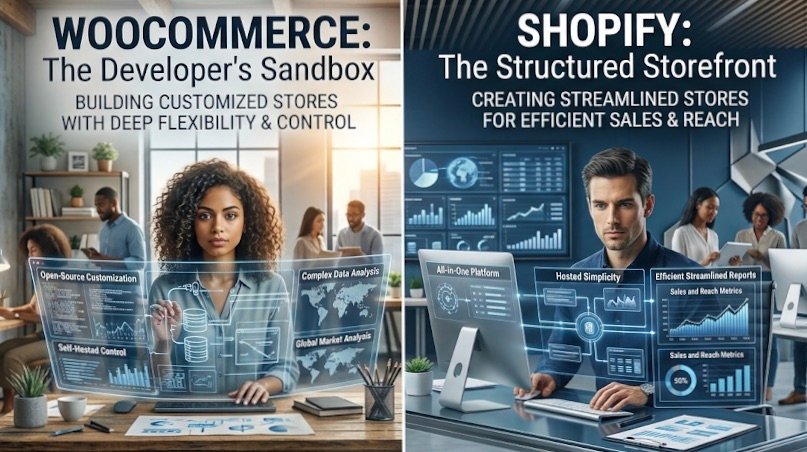
Two platforms, thousands of success stories, and one question that keeps new and growing store owners awake at night: which one should the business be built on? Both can power a profitable store. They differ in cost, control, design freedom, scalability, and the amount of day-to-day responsibility they place on the owner, and the right choice depends on what a business needs today and where it plans to be in three years.
Meet the Contenders: How Each Platform Actually Works
The core of WooCommerce vs Shopify is a difference in model. Shopify is a hosted, all-in-one service. Hosting, security, updates, and checkout are handled for you in exchange for a monthly fee. WooCommerce is a free plugin that runs on WordPress, which means the store owner chooses a host, manages updates, and takes responsibility for security and performance.
Shopify tends to suit first-time sellers and teams who want to launch quickly without technical involvement. WooCommerce tends to suit businesses with developers. support, content-heavy strategies, or specific customisation needs. The choice shapes ownership, flexibility, and ongoing responsibility.
| Responsibility | Shopify (Hosted) | WooCommerce (Self-Hosted) |
| Hosting | Included | The owner chooses and pays |
| Security | Managed by platform | The owner manages |
| Updates | Automatic | The owner applies. |
| Design | Themes within platform limits | Open to any WordPress theme or builder |
Getting Started: Setup, Logging In and Day-to-Day Management
A Shopify store can go live within a day. After the Shopify login, the admin dashboard presents orders, products, customers, and reports in one clean interface, with no hosting decisions required.
WooCommerce requires more setup: choosing hosting, installing WordPress, adding the plugin, and configuring payments, shipping, and tax. Day-to-day management happens in the WordPress dashboard, where the owner also handles updates and backups. It is more work initially, with more room to shape the result.
Who Owns What? Control, Hosting and Data
Shopify limits control over underlying code and hosting in return for convenience. WooCommerce gives full control over code, hosting environment, and data, along with the responsibility that comes with it. If long-term growth may require custom functionality or complete data ownership, that control matters. If the priority is focusing on selling, Shopify’s managed approach removes a lot of risk.
Money Matters: Plans, Pricing and Hidden Costs
Shopify plans are tiered. Higher tiers typically add more staff accounts, better reporting, and lower transaction fees. Apps, payment gateway charges, and premium add-ons come on top of the plan price. Check the official pricing page for current details before deciding.
| Plan Level | Key Features | Who It Suits | Cost Considerations |
| Entry | Core store features, basic reporting | New and small stores | Higher transaction fees, add-on apps |
| Mid | More staff accounts, better reports | Growing stores | Lower fees as volume rises |
| Advanced | Advanced reporting, lowest fees | Established high-volume stores | Higher monthly cost justified by volume |
The plugin is free, but a working store still needs hosting, a domain, an SSL certificate, security tools, extensions, and possibly developer help. Budget hosting is cheap but can slow a growing store, while managed WordPress hosting costs more and handles performance and security. Ongoing costs include maintenance, backups, and performance optimisation.
A small store may find Shopify’s predictable monthly cost easier to plan, while WooCommerce can be cheaper if the owner can handle maintenance. A medium store should compare transaction fees against hosting and developer costs. A fast-growing store should model costs at scale. A useful question before committing is, “What will I pay at ten times my current volume?”
Look, Feel and Flexibility: Themes, Plugins and Customisation
- Shopify Themes: Polished Designs With Limits
Shopify themes offer professional, mobile-ready designs with straightforward customisation through the theme editor. Free themes cover the basics, and premium themes add layouts and features. Flexibility ends where the theme structure does, and deeper changes may need a developer familiar with Shopify’s templating.
- WooCommerce Themes: Freedom Through WordPress
WooCommerce themes and page builders give deep control over layout, content, and branding. Quality varies, so check speed, compatibility, and support when choosing. Blogging, content marketing, and search engine optimisation often feel more flexible on WordPress, which is a real advantage for businesses that rely on content to attract customers.
- Apps, Plugins and Integrations
Shopify’s app ecosystem and WooCommerce’s extensions and WordPress plugins both handle payments, shipping, tax, email marketing, and inventory. The risk on both sides is overload: too many apps or plugins slow the store and create conflicts. Choose fewer, well-supported tools.
| Factor | WooCommerce | Shopify |
| Ease of use | Moderate; needs more setup | High, guided setup |
| Flexibility | Very high | Moderate to high |
| Scalability | Depends on hosting and optimisation | Handled by platform |
| Maintenance | Owner responsibility | Mostly managed |
| Support | Community, host, and developers | Platform support |
- Scaling Up: Which Platform Handles Growth Better?
Shopify manages traffic spikes, security, and reliability for you, which suits stores that want to scale without infrastructure work. WooCommerce can scale well too, but performance depends on hosting quality, caching, and optimisation. Large catalogues and international selling are possible on both. Businesses usually outgrow a setup when costs, performance, or customisation needs exceed what it can deliver, and that is the moment to reassess.
- Shopify to WooCommerce Migration: When and How to Switch
Owners consider a Shopify to WooCommerce migration for cost, flexibility, or content needs. The move involves transferring products, customers, orders, and content, and setting up redirects so existing URLs still lead somewhere useful. To protect search rankings, map every old URL to its new one, test thoroughly on a staging site, and plan the launch to minimise downtime. Post-launch checks should confirm payments, emails, tracking, and indexing all work.
The Final Verdict: A Simple Decision Guide
Choose Shopify if you want a fast launch, minimal technical work, and predictable management. Choose WooCommerce if you want maximum control, strong content and SEO flexibility, and have the technical support to maintain it. Ask yourself about your technical comfort, budget, content strategy, and growth plans. Pick the platform that fits the business today while leaving room for tomorrow.
Opus Momentum is a results-focused partner for businesses planning to build and grow their online stores. Anyone searching for a digital marketing agency Bhopal can contact Opus Momentum for support with store setup, search visibility, and performance marketing.
Sources:
- https://www.shopify.com/pricing
- https://woocommerce.com/documentation
- https://wordpress.org/support
- https://help.shopify.com/en/manual/online-store/themes
- https://woocommerce.com/product-category/themes
- https://developers.google.com/search/docs/crawling-indexing/site-move-with-url-changes
- https://web.dev/vitals
- https://help.shopify.com/en/manual/products/import-export
- https://www.statista.com
- https://baymard.com/research